Use Case — Issue Reporting
Stop reading bug reports. Start seeing them.
Customers report issues with a screen recording, a video, or their voice — and FanVoice attaches the console logs, network calls, and system details your engineers would have asked for anyway.
Checkout fails at the payment step when a saved card is used. The request returns a 500 and the customer is silently sent back to the cart.
Steps to reproduce
- 1Open Checkout with a saved card on file
- 2Select the saved Visa, then click Pay
- 3Payment spinner hangs, then returns to cart
Routed to Payments team
Jira PAY-2841 · Priority: High
The issue is never what the ticket says
Asking a customer to describe a problem in writing throws away everything they could have shown you in ten seconds.
Without FanVoice — four replies, five days
With FanVoice — one submission
40-second screen recording
Submitted Monday, 09:14 — resolved the same morning
Let people report the way it's easiest to show you
One reporting flow, four ways in. The customer picks whichever is fastest for the problem in front of them.
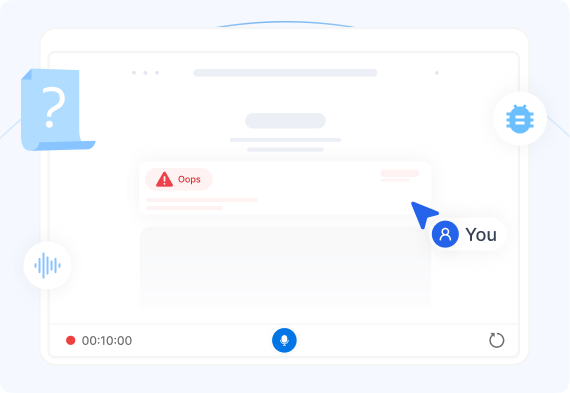
Screen recording
Record a tab or the whole desktop while narrating. The flagship for web apps, dashboards, and anything engineering has to reproduce.
Camera video
Point a phone at the machine, the shelf, or the damaged unit. Physical problems were never going to fit in a text box.
Voice
Thirty seconds, hands-free, no typing. Ideal on a shop floor, in a warehouse, or out in the field.
Text
Still there for people who prefer it. Same AI pipeline, same enrichment, same routing.
Every report arrives with the evidence attached
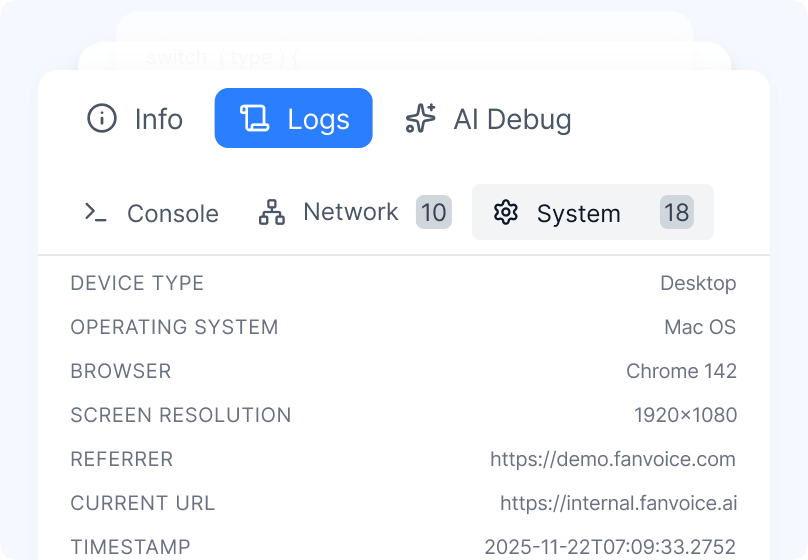
While the recording runs, FanVoice quietly captures what your engineers were going to ask for anyway.
Console logs
Every error, warning, and stack trace thrown while the customer was recording.
Network requests
Calls, status codes, payload sizes, and timings — so a failing 500 is visible, not inferred.
System & environment
Browser and version, operating system, screen resolution, current URL, referrer, and timestamp.
A synced session timeline
Click any console error and the video jumps to the moment it fired.
Your team reads a summary, not a transcript
Rich context is only useful if someone can absorb it quickly. FanVoice AI turns the raw recording into a ticket that is already written.
Synopsis
A short summary a triager can read in five seconds, written from the recording and the transcript — not copied from the customer's first sentence.
Steps to reproduce
Pulled from what the customer actually did on screen, in order, so an engineer can follow the same path instead of guessing at it.
Key facts read from the video
Serial numbers, SKUs, part codes, and on-screen error codes lifted straight out of the frame and filled into the ticket. Nobody retypes them.
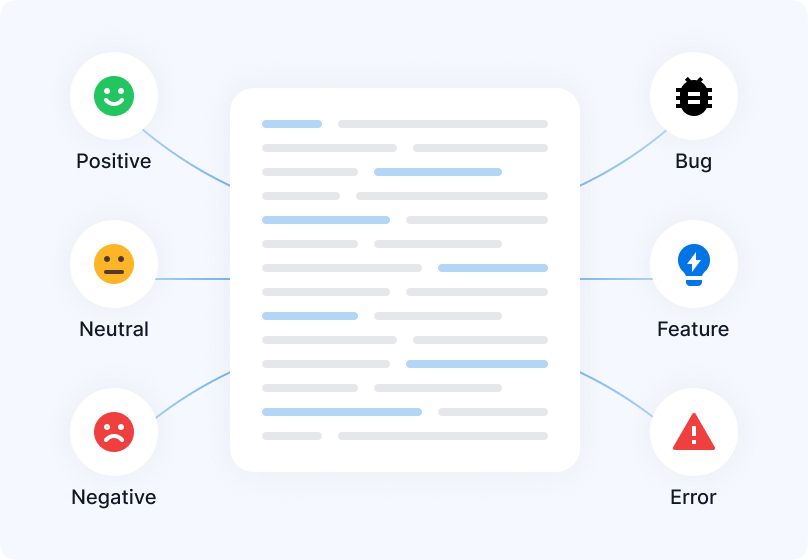
Severity, sentiment, and tagging
Every issue is classified on arrival, so the urgent ones surface instead of waiting their turn in a queue.
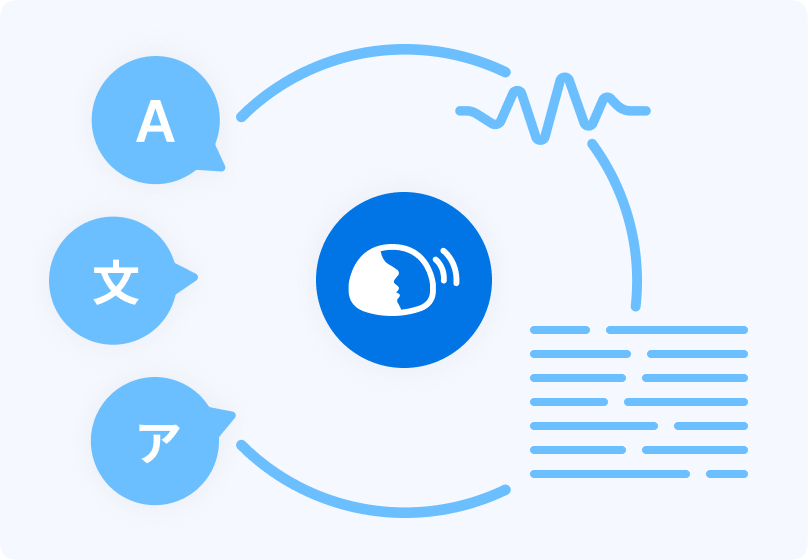
Reported in any language, read in yours
Customers speak whichever language they think in. Your team reads the transcript and summary in theirs.
The best support ticket is the one nobody had to file
A large share of incoming issues have already been answered. FanVoice catches those at the door.
Knowledge base deflection
Connect your help centre and FanVoice AI answers the reporter while they are still describing the problem. Known issues get solved instead of queued.
Similar issue lookup
Every new report is matched against your history. If this has been solved before, the fix is on the ticket before anyone opens it.
Drafted responses
Support replies start from an AI draft grounded in the recording and your past resolutions, not from a blank box.
Customer is reporting
"I can't export my report to CSV."
Answered instantly
Matched to a help centre article. No ticket created.
Ticket created
Only when it is genuinely new — and it arrives fully enriched.
Hand the whole issue to your coding agent
One click copies the complete context — transcript, console errors, network calls, environment, and steps to reproduce — as a single structured block. Paste it into Claude Code, Cursor, or whichever agent your team already runs, and skip the part where a developer reassembles the bug by hand.
## Issue — Checkout fails for saved cards
Environment: Chrome 142 · macOS · 1920×1080
Console: POST /api/pay → 500 (TypeError: card.token)
Steps: 1. Open checkout 2. Select saved Visa 3. Pay
Transcript: "...it just spins and dumps me back..."
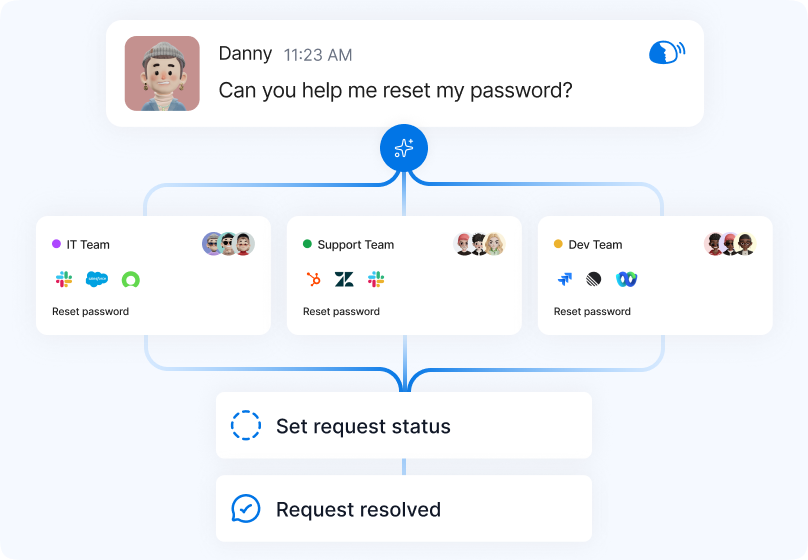
Routed to the team that can actually fix it
Because the issue arrives with real context attached, FanVoice can triage it properly on the first pass — no manual sorting, no three-day detour through the wrong queue.
- A broken payment flow goes to the payments team, not to a general queue
- Priority is set from severity and customer impact, not from who shouts loudest
- Duplicates are collapsed onto the existing ticket instead of splitting the work
Answer with a video, not a paragraph
Rich context should not be a one-way street. Your team can reply with a screen recording, a voice note, or text — whichever explains it fastest.
Showing someone exactly where to click ends a thread that six emails would not have. The customer sees the fix rather than parsing a description of it, and the issue closes on the first reply instead of the fourth.
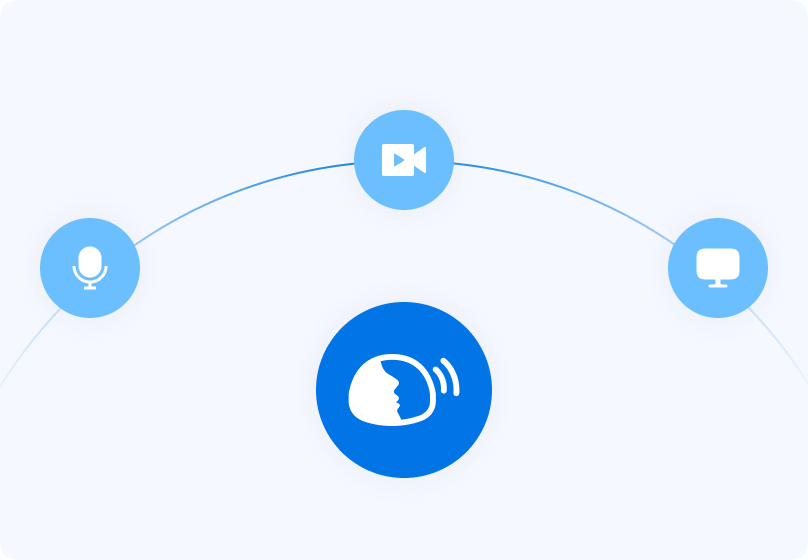
Put issue reporting wherever the issue happens
The further reporting sits from the problem, the fewer people bother. FanVoice runs in six places, and you can use as many as you need.
Hosted reporting page
A ready-made page on your own subdomain. Circulate the link in emails, signatures, and help articles — there is no integration work at all.
Website embed
Drop FanVoice into your app as an inline widget, a floating button, or a modal. Customers report without ever leaving the page they are on.
Browser extension
A Chromium extension for QA and internal teams who test across many sites and need to capture from any tab, on any domain.
Terminal
For CLI and developer-tooling products. Report the failure from the same shell it happened in, with the session context already attached.
Desktop applications
Native and Electron desktop apps get the same capture flow, so issues in installed software are as reportable as issues on the web.
Automatic error prompts
Detect a crash or error state and offer to report it right then, while the customer is still looking at it and still willing to help.
Plugs into the tools your team already uses
Enriched issues land in Jira, Zendesk, Salesforce, and the rest of your stack. Keep your workflow — FanVoice just makes what arrives in it far more useful.







It should look like your product, not ours
The reporting experience is yours to shape, down to the fields and the colour of the button.
Your look, not ours
Colours, logo, wording, and layout match your product, so reporting feels like part of it rather than a bolted-on third party.
Your fields and rules
Add the fields your workflow needs, and decide which captures are required, optional, or hidden for each reporting flow.
Your privacy posture
Redact sensitive regions and fields before anything leaves the browser, with data residency controls to match your policy.
Your platform or ours
Run issue reporting entirely in the FanVoice console, or keep your existing tools and let FanVoice feed them.
What changes once context arrives up front
Most of the cost of an issue is not the fix. It is everything that happens before anyone understands the problem.
Faster resolution times
Full context on submission removes the clarification loop
Less manual effort
AI writes the summary, the steps, and the routing
Lower operational cost
Fewer touches per issue, and fewer issues to touch
Want the numbers for your own team? Run them through the ROI calculator.
Built for enterprises
Security, compliance, and rapid onboarding designed for the world's most demanding organizations.
Fast Onboarding
Get up and running in under one week
Private GCP Network
Your data is processed securely and privately
Privacy by Design
Redaction, data deletion, and data subject request tooling built in
Scalable Infrastructure
Built to handle millions of requests
Embed Scripts & Widgets
Easily add FanVoice to any application
Enterprise Integrations
Connect with your single sign-on (SSO) and more

SOC 2 Type II attested
Independently audited by Thoropass against the AICPA Trust Services Criteria - covering not just how our controls are designed, but how they operated over time. Read our security policy.
Ready to transform your workflows?
See how FanVoice can help your organization reduce costs, accelerate outcomes, and delight customers.
Issue reporting questions
The things teams ask before rolling FanVoice out to their customers.